
Safari Extension for iOS
ShortsKiller Support
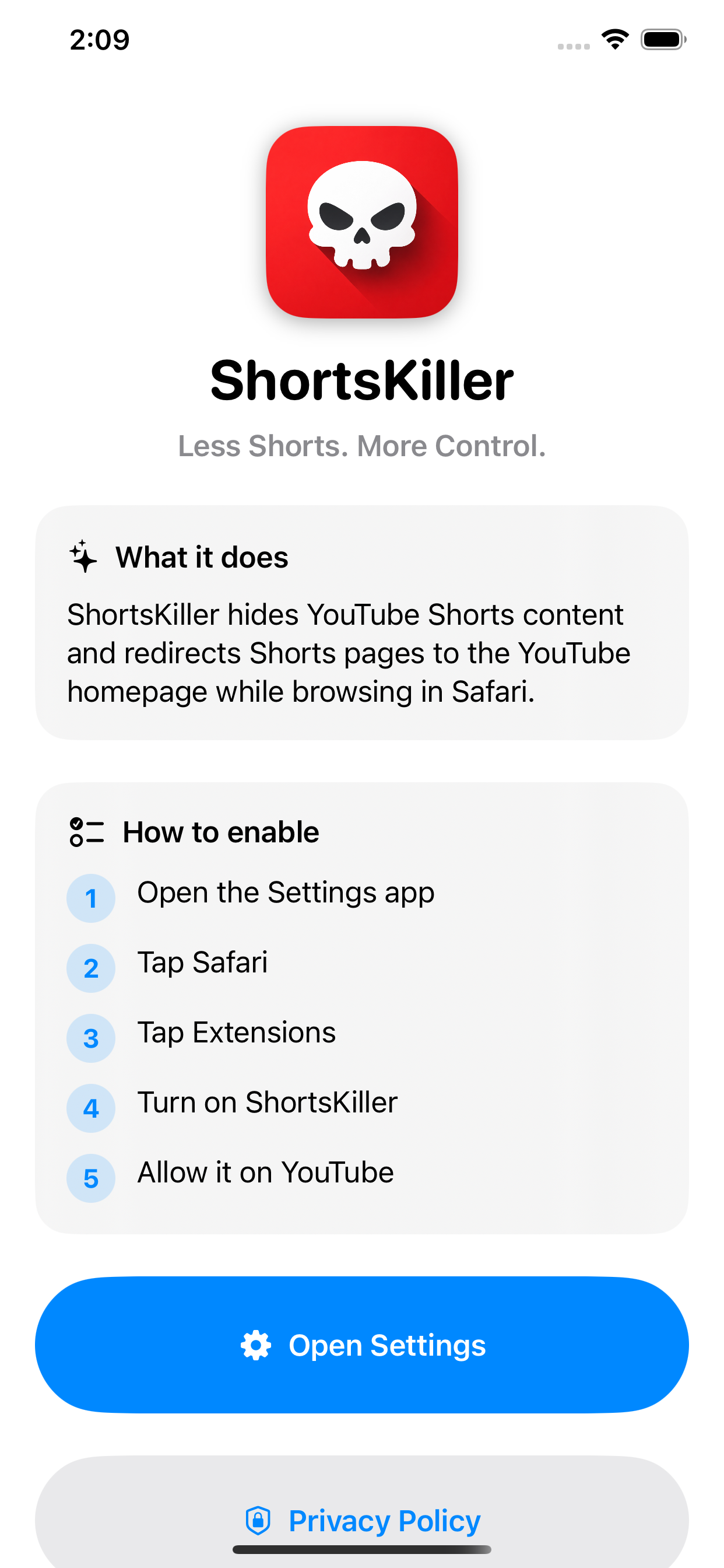
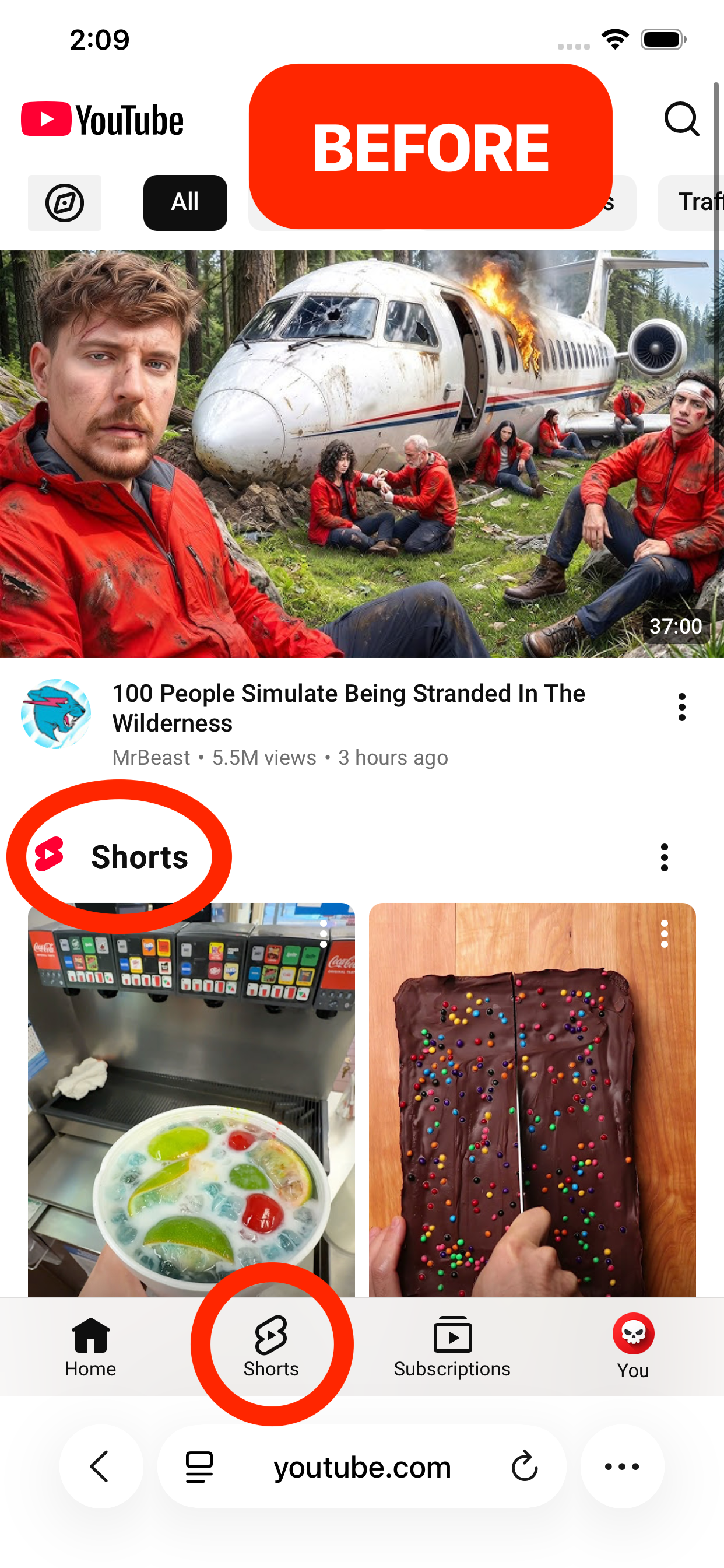
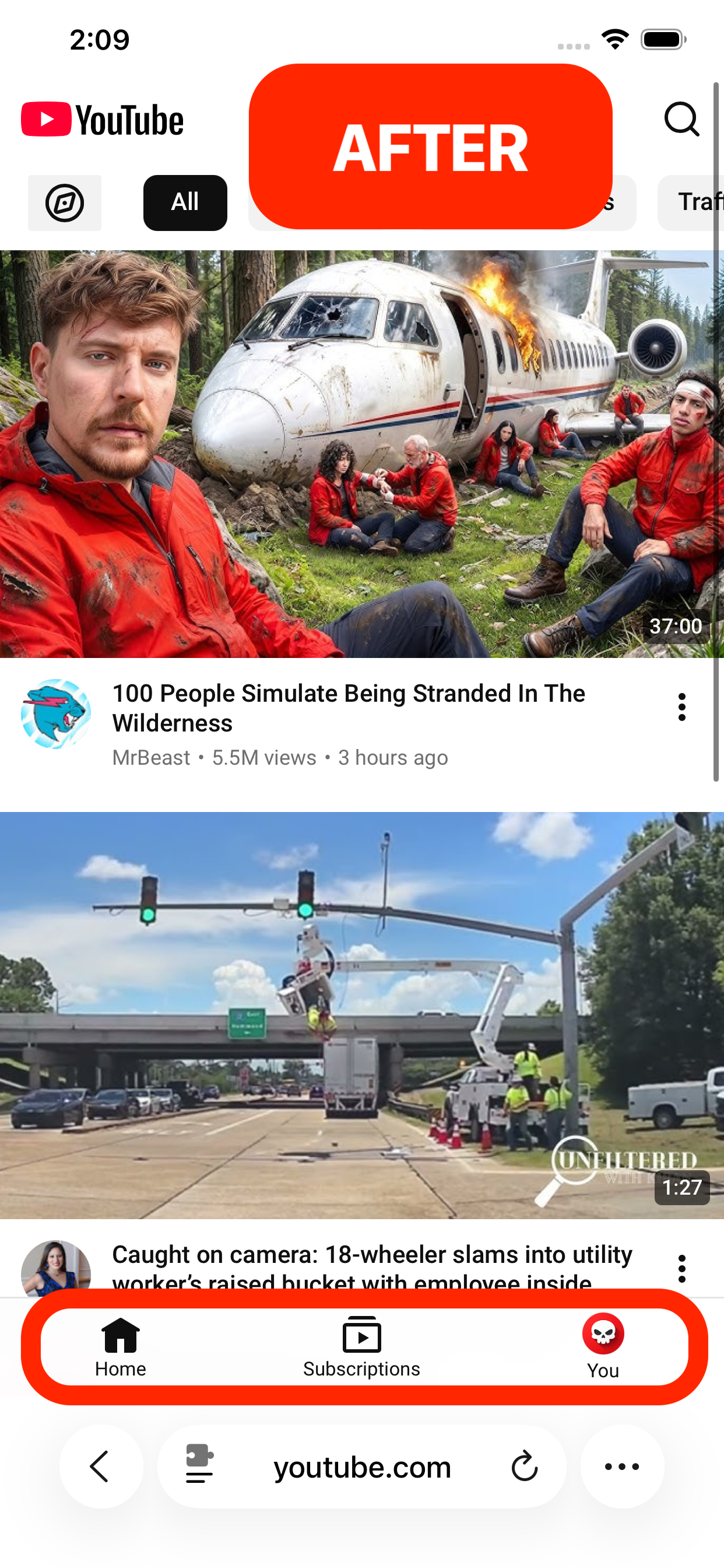
ShortsKiller removes YouTube Shorts from Safari so you can browse YouTube with fewer distractions.
Need Help?
Email support at support.shortskiller@gmail.com.
For the fastest help, include your iPhone or iPad model, iOS version, and a short description of what happened.
Setup Instructions
- Install ShortsKiller from the App Store.
- Open the ShortsKiller app and review the setup instructions.
- Open Settings → Safari → Extensions.
- Enable ShortsKiller.
- Allow ShortsKiller to run on YouTube.
What ShortsKiller Does
- Hides Shorts-related sections from YouTube pages.
- Redirects direct YouTube Shorts links away from Shorts pages.
- Runs locally in Safari.
- Does not collect, store, or share personal data.
Screenshots
Privacy
ShortsKiller does not collect, store, transmit, sell, or share personal data.